TLDR: ASK BOSCO® AI Analyst has had its biggest ever upgrade. Ask questions in plain English, get verified, visualized answers instantly, with deeper analysis, transparent reasoning, chat history, and two powerful modes to suit every type of question. No SQL or waiting.
The problem that ASK BOSCO® AI Analyst solves
Marketing teams have more data than ever before. But more data doesn’t automatically mean better decisions, not when that data is scattered across platforms, locked inside dashboards, or stuck in an analyst’s to-do list.
The reality for most marketing teams looks something like this:
- A CMO needs to understand performance before a board meeting, but has to wait on a report from their analyst
- An agency is spending hours manually pulling data across dozens of client accounts just to answer basic weekly questions
- A PPC manager wants to know why conversions dropped last week, but has to cross-reference four different platforms to piece together an answer
- An ecommerce director needs to make a budget decision today, but their data is spread across Google Ads, Meta, and their own CRM
ASK BOSCO® AI Analyst solves this by flipping the model: the data comes to you when you ask for it. Type a question in plain English, get a verified, visualized answer immediately. Our new update takes this even further, with deeper analysis capabilities, transparent reasoning, and a chat history that means your insights are never lost.
What’s new in ASK BOSCO® AI Analyst?
Automatic model selection
No more guessing which data source to query. AI Analyst now automatically identifies and queries across multiple data models simultaneously, selecting the most relevant source or sources based on the question you ask. It just works.
Clarification requests
Instead of making assumptions and returning an answer that may miss the mark, AI Analyst now asks you a clarifying question when it’s uncertain. Fewer wasted queries, more accurate insights, first time.
Data awareness
AI Analyst now securely reads the specific results of your query to write accurate, contextual insights. Follow-up questions are answered with full awareness of what’s already been returned, like talking to an analyst who actually remembers the last thing you discussed.
Insight storage & chat history
Every conversation is now automatically saved. Your insights don’t disappear when you close the tab. Return to any previous analysis, pick up where you left off, and build on your findings over time.
Data security
AI Analyst processes only the data needed to answer your specific question. The system operates strictly within a defined dataset and analytical framework, so your data stays protected at every step.
Analyst-grade, transparent reasoning
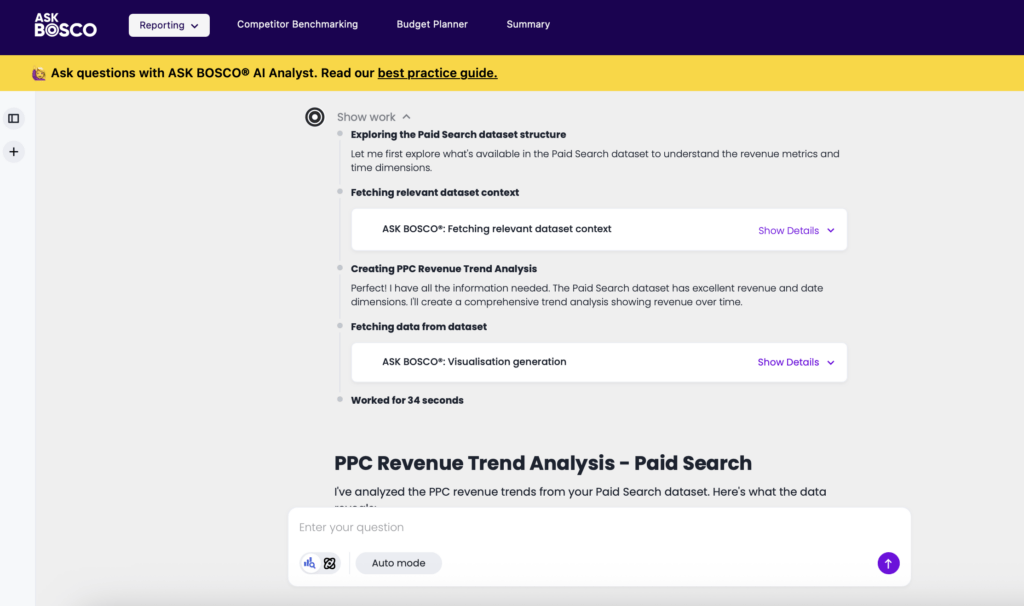
AI Analyst now creates a plan, validates its assumptions, and self-corrects before returning results. Click “Show Work” to see exactly how your question was interpreted, the attributes, filters, and measures used, so you always know where the answer came from.
Multi-turn conversation
Ask a question, get an answer, then keep digging. It’s as simple as that. AI Analyst now supports genuine multi-turn conversations, ask follow-up questions, request explanations, and explore the “why” behind the numbers. Smart context detection automatically distinguishes between a follow-up and a brand new question, so the conversation flows naturally.
Search Mode vs Research Mode
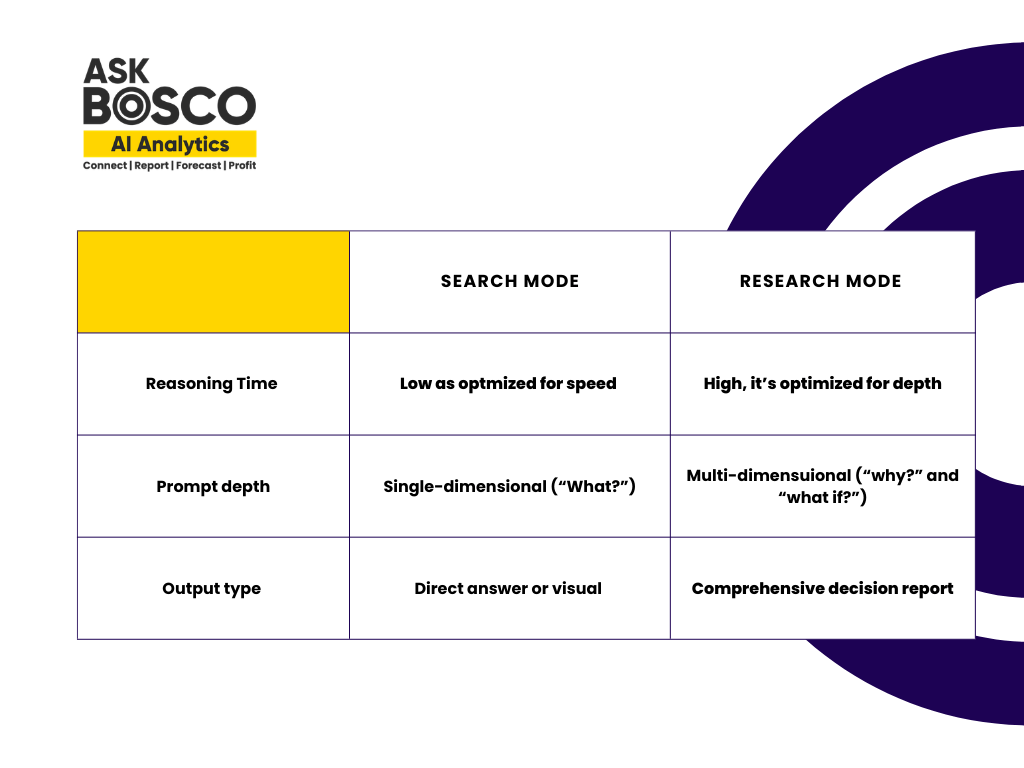
One of the most powerful new additions is the ability to operate in two distinct analytical modes depending on what you need.
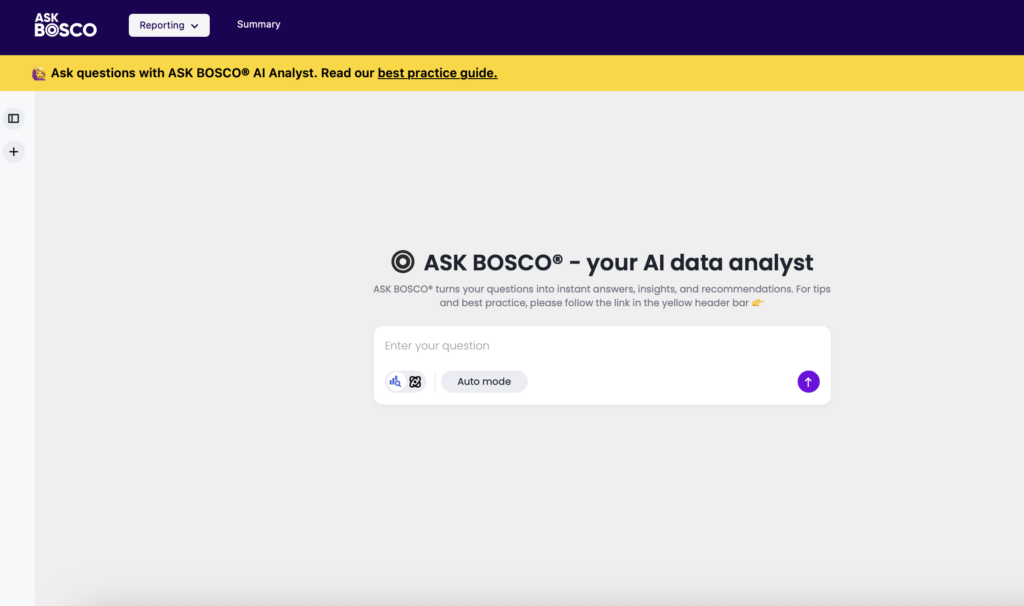
Search Mode for quick insights
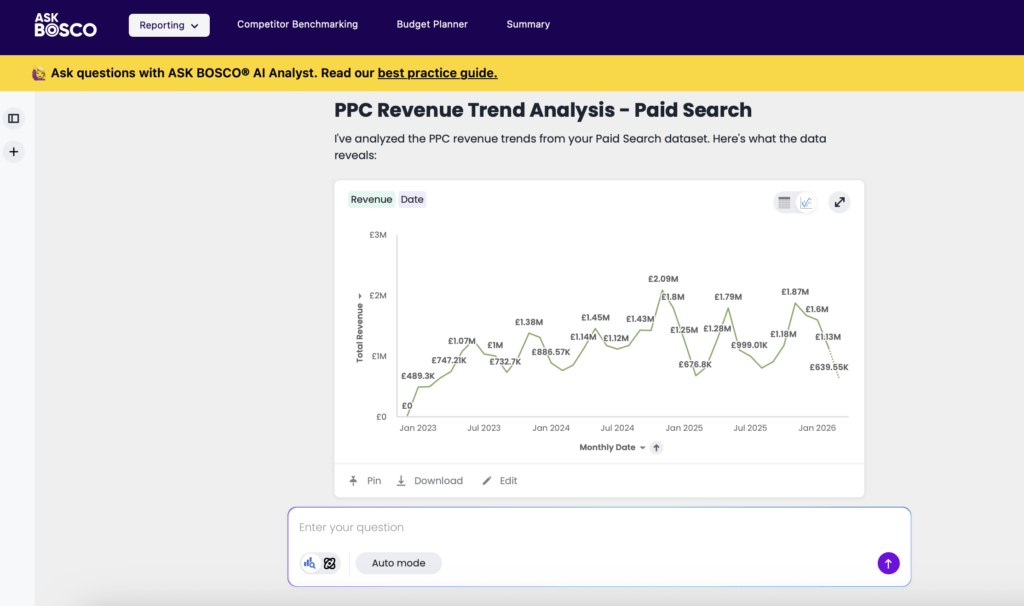
Use this for direct, fast answers from your dataset. AI Analyst quickly generates a chart or table to answer your question. Perfect for daily reporting and quick data checks. Example: “Show me device traffic and cost by channel.”
Research Mode for deeper analysis
Use this for broader, exploratory questions where you want AI Analyst to dig deeper and uncover trends, patterns, or explanations. Instead of a single chart, you’ll receive multiple insights, summaries, and a comprehensive analysis to guide strategic decision-making. Example: “Why did our conversion rate drop in February? What channels were most affected?”
Who benefits from the new AI Analyst?
The CMO / Marketing Director
Get on-demand access to top-line performance data, trend analysis, and channel comparisons in seconds. Walk into any meeting fully briefed, make faster budget decisions, and spend less time chasing data and more time acting on it.
The Agency Account Manager
Maintain separate ongoing analyses for each client with persistent chat history. Spend less time on manual reporting and more time on the strategy and optimisation work that actually grows accounts.
The Paid Media / PPC Manager
Use Search Mode for fast daily data checks, and switch to Research Mode when something looks off and you need root-cause analysis, not just a data dump.
The Ecommerce / Trading Director
Interrogate your data progressively with multi-turn conversation, start broad, then drill down. Make faster, more informed trading decisions whether you’re reacting to a sales dip or planning your next promotional push.
The Data Analyst / Reporting Manager
Empower the wider team to self-serve, reducing ad-hoc requests on your desk. The “Show Work” transparency feature means stakeholders can trust the outputs without needing you to validate every answer.
Don’t lose your chat history
AI Analyst automatically saves every conversation so you can return to previous analysis at any time. Each conversation is automatically titled based on your first question, and you can rename, revisit, or delete conversations as needed. Your chat history lives in the left-hand panel, organised with the most recent conversations at the top.
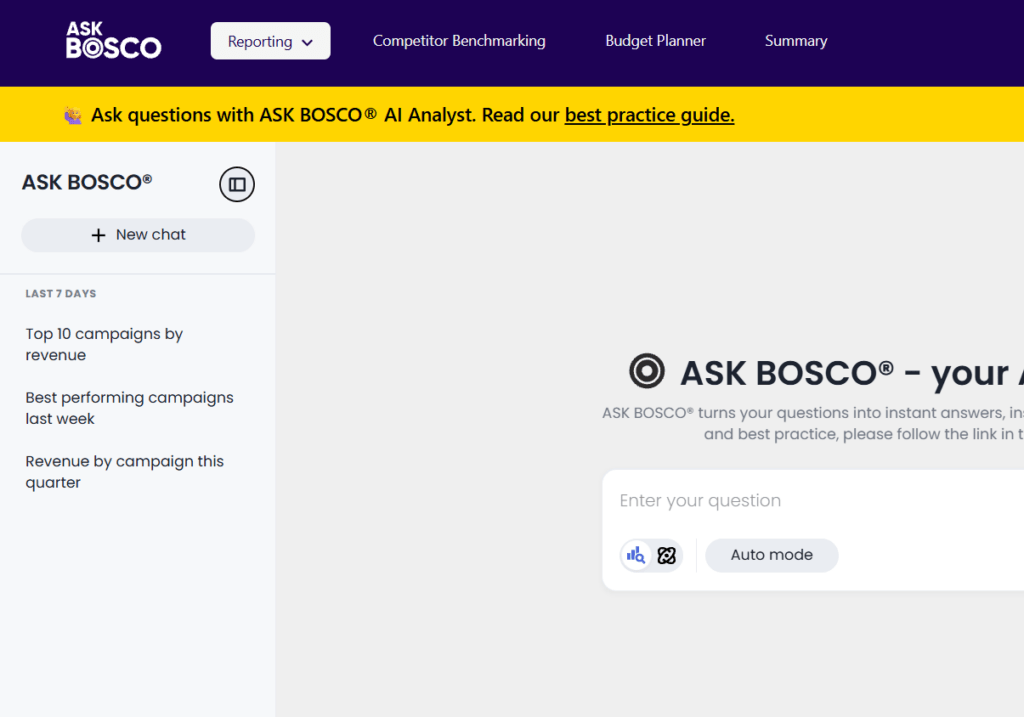
- Each conversation is automatically titled based on your first question
- Reopen any past conversation and continue asking follow-up questions, AI Analyst remembers the original context
- Rename conversations for easy reference (e.g. “Weekly Marketing Review”, “Q1 Performance Analysis”)
- Delete conversations you no longer need
Understanding your results
Once your question is processed, AI Analyst returns a chart, table, or written summary. From there you can:
- Click “Show Work” to see how your question was interpreted and what data was used
- Drill down into data by right-clicking chart elements
- View column statistics, data types, and formula logic for full transparency into how metrics are calculated
- Ask follow-up questions directly within the written insights
Ready to explore the new AI Analyst?
Log in to your ASK BOSCO® account and head to the Reporting menu to get started. This feature is available to all users. For tips on writing great questions, check out our Best Practice Guide. If you’d like a live walkthrough of the new features, book a demo with our team.